Evolution & microbiome
Nayancode Amplicon (16S/ITS) Analysis
From 16S reads to ASVs, on your own computer instead of a server.
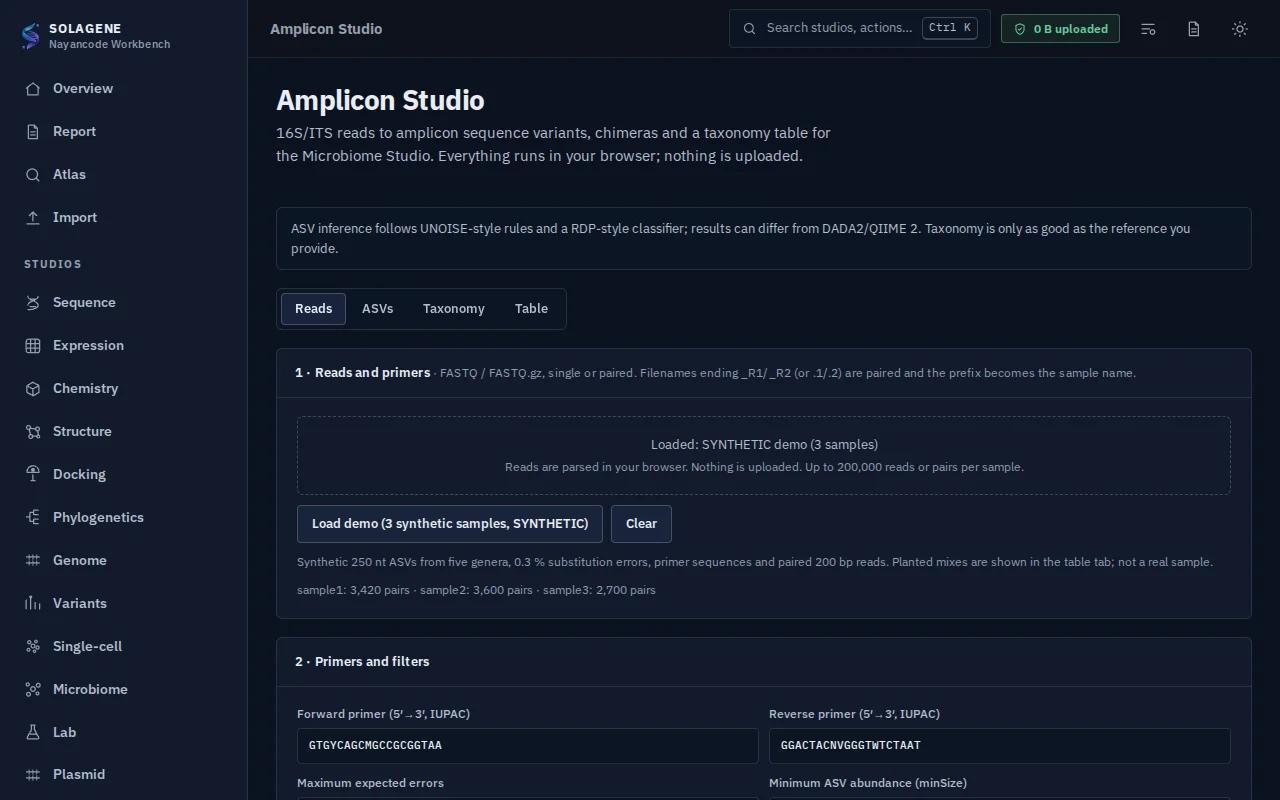
Primer trimming, expected-error filtering, merging, UNOISE-style denoising, chimera checks and RDP-style taxonomy classification of amplicon reads.
Free · your files are not uploaded
Overview
What Amplicon (16S/ITS) Analysis does
Amplicon (16S/ITS) Analysis takes 16S or ITS FASTQ reads through the usual amplicon workflow: find and trim IUPAC primers, apply expected-error, N and length filters, merge overlapping pairs, dereplicate and denoise by abundance skew into amplicon sequence variants, and check each ASV against two-parent chimera models.
An optional taxonomy reference FASTA with semicolon lineages is classified with an RDP-style 8-mer naive Bayes model and bootstrap confidence. The ASV feature table and FASTA can be exported or handed to the Microbiome Analysis. No taxonomy database is bundled; you supply SILVA, Greengenes or UNITE and check its licence. The bundled three-sample demo uses a synthetic reference so every step can be tried without one.
Technical specifications
- Inputs
- FASTQ / FASTQ.gz, single or paired-end, one or more samples · Forward and reverse primers (IUPAC) · Optional taxonomy reference FASTA with semicolon lineages · Synthetic 3-sample demo with a synthetic reference
- Outputs
- ASV feature table · ASV FASTA · Taxonomy assignments with confidence · Per-sample read counts and stage summaries
- Engine
- TypeScript kernels in a Web Worker; streaming FASTQ parsing; no server and no bundled database
- Platforms
- Chrome, Edge, Firefox and Safari (current versions) · Windows, macOS, Linux and ChromeOS · No installation and no upload; free account for the Workbench
- Limits
- No taxonomy database is bundled: supply SILVA, Greengenes or UNITE with lineage headers and check its licence. The denoiser is UNOISE-style and the classifier RDP-style, so calls can differ from DADA2/QIIME 2. Up to 200,000 reads or pairs per sample in browser memory. Research-grade, not clinical. Runs in your browser.
- Licence
- Free plan for study and academic research (free account); Lab, Institution and cloud-compute plans for business
Features
Capabilities
Primer trimming
IUPAC-aware forward and reverse primer matching with mismatches and reverse-complement read-through removal.
Filters and merging
Expected-error, N and median-length filters, then paired-end overlap merging.
ASV denoising
Dereplication and UNOISE-style abundance-skew denoising, with the algorithm named on the page.
Chimera detection
Two-parent UCHIME-style checks requiring support from both parents.
Taxonomy
RDP-style naive Bayes classification with bootstrap confidence against your own reference.
Feature table and hand-off
ASV counts and FASTA export, plus a direct hand-off to the Microbiome Analysis.
Use cases
Who uses it, and for what
- Denoising a small 16S run
- Checking an ASV table for chimeras
- Classifying ASVs against a supplied SILVA release
- Teaching the amplicon pipeline step by step
Documentation
Quick start
Open Amplicon (16S/ITS) Analysis
Use the button on this page or the Workbench menu. Nothing to install; works in current Chrome, Edge, Firefox and Safari.
Load data or the demo
Drop in your files (FASTQ / FASTQ.gz, single or paired-end, one or more samples, Forward and reverse primers (IUPAC), Optional taxonomy reference FASTA with semicolon lineages) or load the labelled synthetic demo to explore safely.
Run and inspect
Results appear as interactive figures and tables; each analysis records its parameters and versions.
Export and cite
Export figures and tables, add them to a report, and copy the auto-written methods paragraph.
Learn the methods with Vedicgen
Courses that use Amplicon (16S/ITS) Analysis
Talk to us
Request a demo or ask a question
For classroom use, self-hosted deployments, custom apps or support. We reply within two working days.
Free: Free
Lab: From ₹4,999 per month, billed yearly (US$119 outside India)
Institution: Quoted
Cloud compute & analysis: Quoted