Evolution & microbiome
Nayancode AMR Gene Screening
Acquired resistance genes in an assembly, screened in your browser.
AMR screening of contigs or draft genomes against the NCBI AMRFinderPlus reference genes: 15-mer seeds, Smith–Waterman confirmation, identity and coverage cuts, drug classes.
Free · your files are not uploaded
Overview
What AMR Gene Screening does
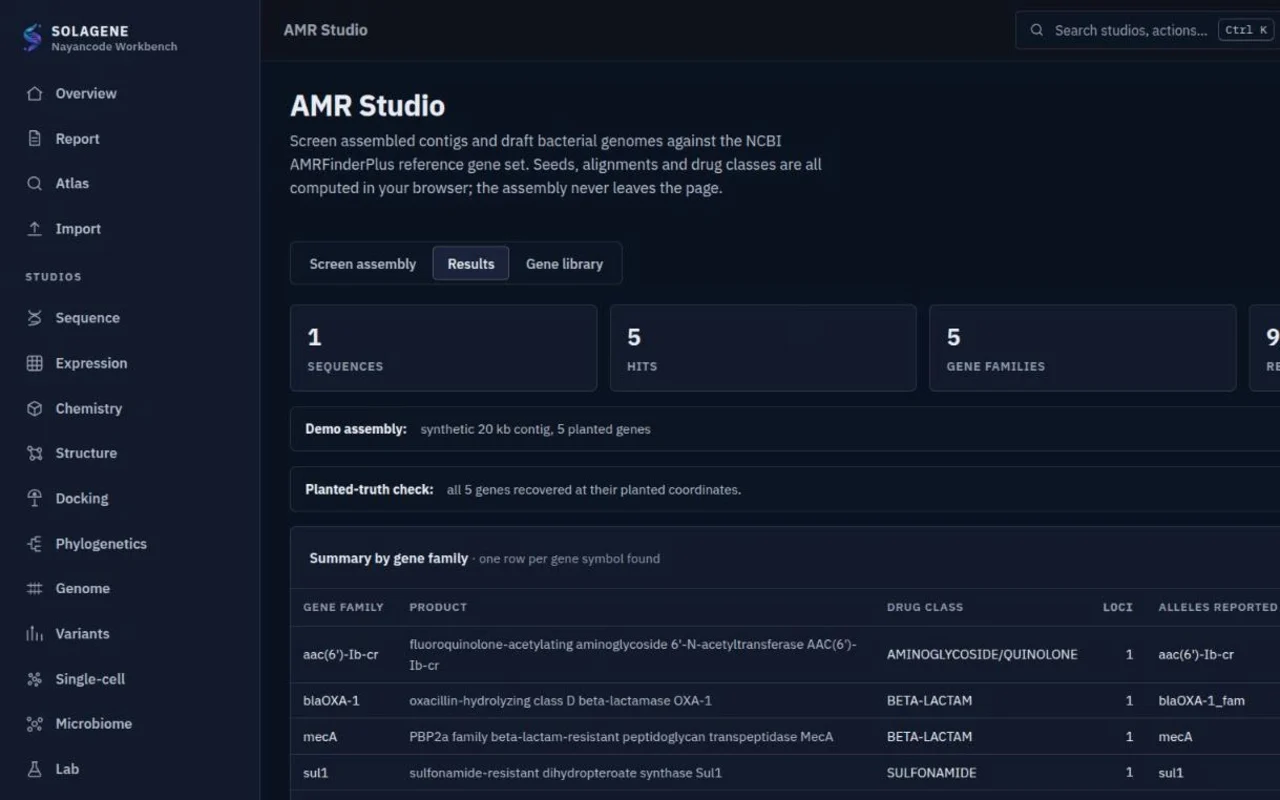
AMR Gene Screening screens an assembled bacterial genome for acquired resistance genes. The NCBI AMRFinderPlus reference gene set (database 2026-08-07.1: 9,786 nucleotide records, 9.88 Mb, 8,078 distinct gene symbols) is fetched once on first use and cached in the browser, so the contigs you drag in never leave your machine. A typed-array 15-mer index on both strands proposes candidate loci, and every candidate is confirmed by Smith–Waterman alignment with identity and reference-coverage thresholds, so a hit is an alignment rather than a k-mer match.
Drug class and subclass come from the NCBI reference gene catalogue, matched by protein accession, then allele, then gene family, because many rows (mecA, sul1, tet(A)) leave the allele field blank. Results summarise by gene family and export as CSV. The limits are stated plainly: acquired genes only — point mutations and novel families are missed — and 15-mers shared by more than fifty references are not seeded, so very large allele families such as blaTEM-1 can be invisible. On E. coli K-12 the screen returns ten hits, all intrinsic chromosomal efflux, stress and regulator loci, and no acquired gene.
Technical specifications
- Inputs
- Contig or draft-genome FASTA (≤ 100 MB, .gz accepted) · NCBI AMRFinderPlus reference genes (fetched on first use) · Bundled E. coli K-12 demo genome
- Outputs
- Hit table with coordinates, identity and coverage · Drug class and subclass per gene · Summary by gene family · CSV export
- Engine
- TypeScript worker (typed-array seed index, diagonal voting, local alignment)
- Platforms
- Chrome, Edge, Firefox and Safari (current versions) · Windows, macOS, Linux and ChromeOS · No installation and no upload; free account for the Workbench
- Limits
- Acquired genes only: point mutations and novel families are missed, and 15-mers shared by more than 50 references are not seeded, so very large allele families can be invisible
- Licence
- Free plan for study and academic research (free account); Lab, Institution and cloud-compute plans for business
Features
Capabilities
Reference genes in the browser
NCBI AMRFinderPlus database fetched once, gzipped and cached locally.
Seed then align
A 15-mer index on both strands nominates candidates; Smith–Waterman confirms each.
Identity and coverage cuts
Reported with the coordinates, strand and the reference length used.
Drug classes
Class and subclass from the reference gene catalogue, matched by accession, allele or gene family.
Genome-scale screening
A 4.6 Mb E. coli K-12 genome screens in under a minute in the browser.
Demo genomes included
A synthetic five-gene contig with planted truth, plus E. coli K-12.
Use cases
Who uses it, and for what
- Checking an isolate assembly for acquired resistance
- Auditing an AMR call before reporting it
- Teaching why k-mer screens miss large allele families
- Comparing resistance content between isolates
Documentation
Quick start
Open AMR Gene Screening
Use the button on this page or the Workbench menu. Nothing to install; works in current Chrome, Edge, Firefox and Safari.
Load data or the demo
Drop in your files (Contig or draft-genome FASTA (≤ 100 MB, .gz accepted), NCBI AMRFinderPlus reference genes (fetched on first use), Bundled E. coli K-12 demo genome) or load the labelled synthetic demo to explore safely.
Run and inspect
Results appear as interactive figures and tables; each analysis records its parameters and versions.
Export and cite
Export figures and tables, add them to a report, and copy the auto-written methods paragraph.
Learn the methods with Vedicgen
Courses that use AMR Gene Screening
Talk to us
Request a demo or ask a question
For classroom use, self-hosted deployments, custom apps or support. We reply within two working days.
Free: Free
Lab: From ₹4,999 per month, billed yearly (US$119 outside India)
Institution: Quoted
Cloud compute & analysis: Quoted